


Every creator who sells content behind a subscription eventually finds it somewhere it shouldn't be. A paying subscriber saves a set, posts it to a forum, and from there it spreads. You can't stop someone from taking a screenshot. What you can control is how quickly you can show the copy is yours and get it taken down.
This guide covers what a takedown request needs, why proof of ownership matters, and how LeakShield, an app developed by related studio Viral Mind Technologies for Fanvue, handles each step. Fanvue is a creator subscription platform that allows AI creators. The steps apply on any platform.
Why most takedown requests stall
A site that receives a copyright complaint has to decide whether it's real. Under US law, a takedown notice must identify the original work, identify the copy and where it is, and include a statement, made under penalty of perjury, that the sender owns the work or is allowed to act for the owner (17 U.S.C. § 512(c)(3)). It also needs a signature and contact details.
Most creators can write a complaint. The weak point is proof. “This is my photo” is a claim. A record made before the leak, showing that you had the original file on a given date, is evidence. Without it, a site can ask for more, a host can stall, and the copy stays up while you argue.
The law also cuts the other way. Anyone who knowingly makes a false claim in a takedown notice can be held liable for the damage it causes (17 U.S.C. § 512(f)). So a notice should name only copies you're sure are yours, which is why checking a suspected copy before sending matters too.
Register your originals before anything leaks
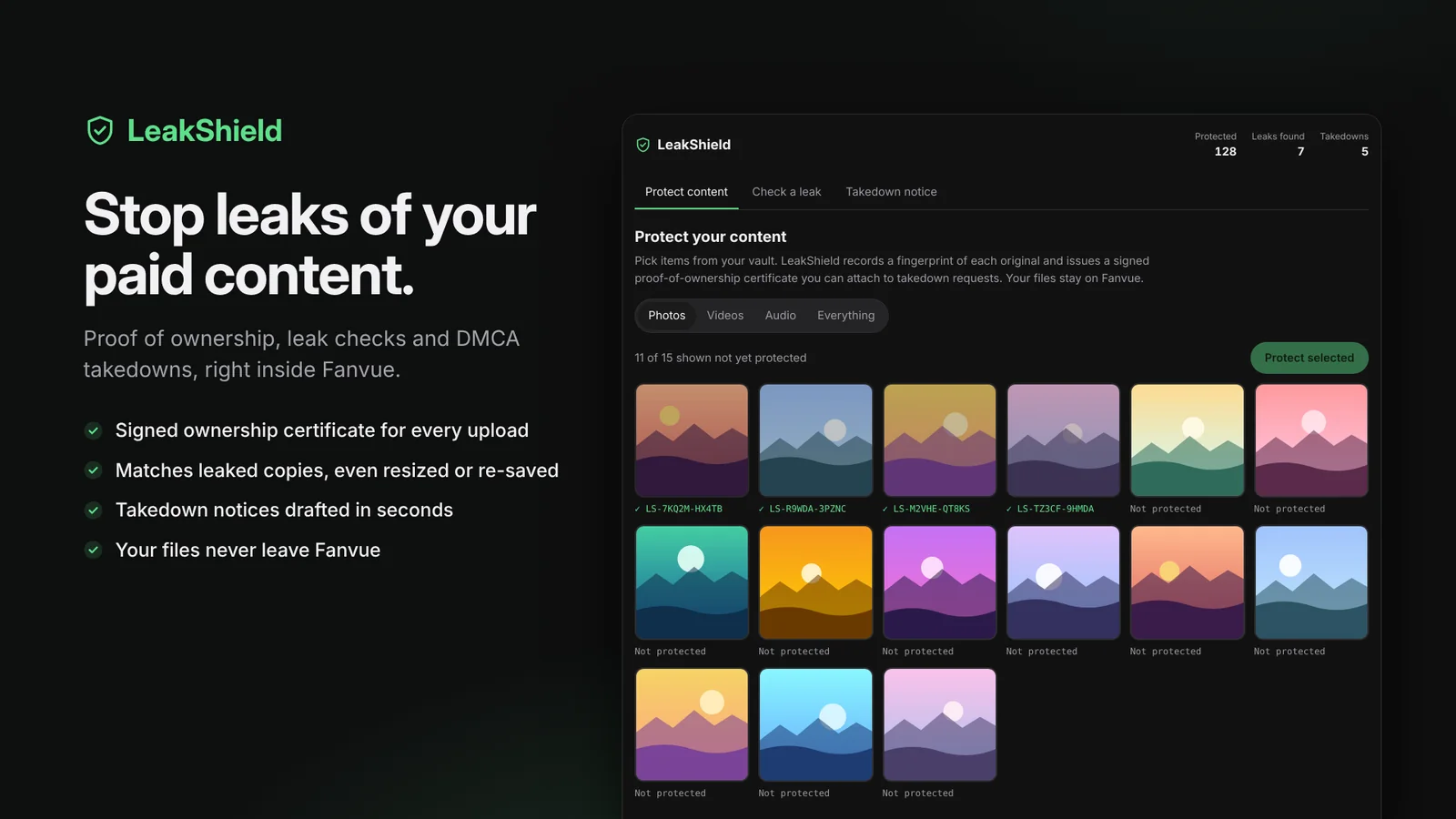
The best time to prepare is before there's a problem. In LeakShield, you pick photos, videos or audio from your Fanvue vault, up to 10 at a time, and press Protect selected.
For each item, LeakShield records two fingerprints. One is an exact fingerprint of the original file (a SHA-256 hash), which proves it's that file and no other. The other is a visual fingerprint, which lets LeakShield recognize a photo again after it has been resized or re-saved. LeakShield then issues a signed proof-of-ownership certificate with its own ID and date, for example LS-7KQ2M-HX4TB, issued October 30. Anyone can check a certificate on a public verification page.
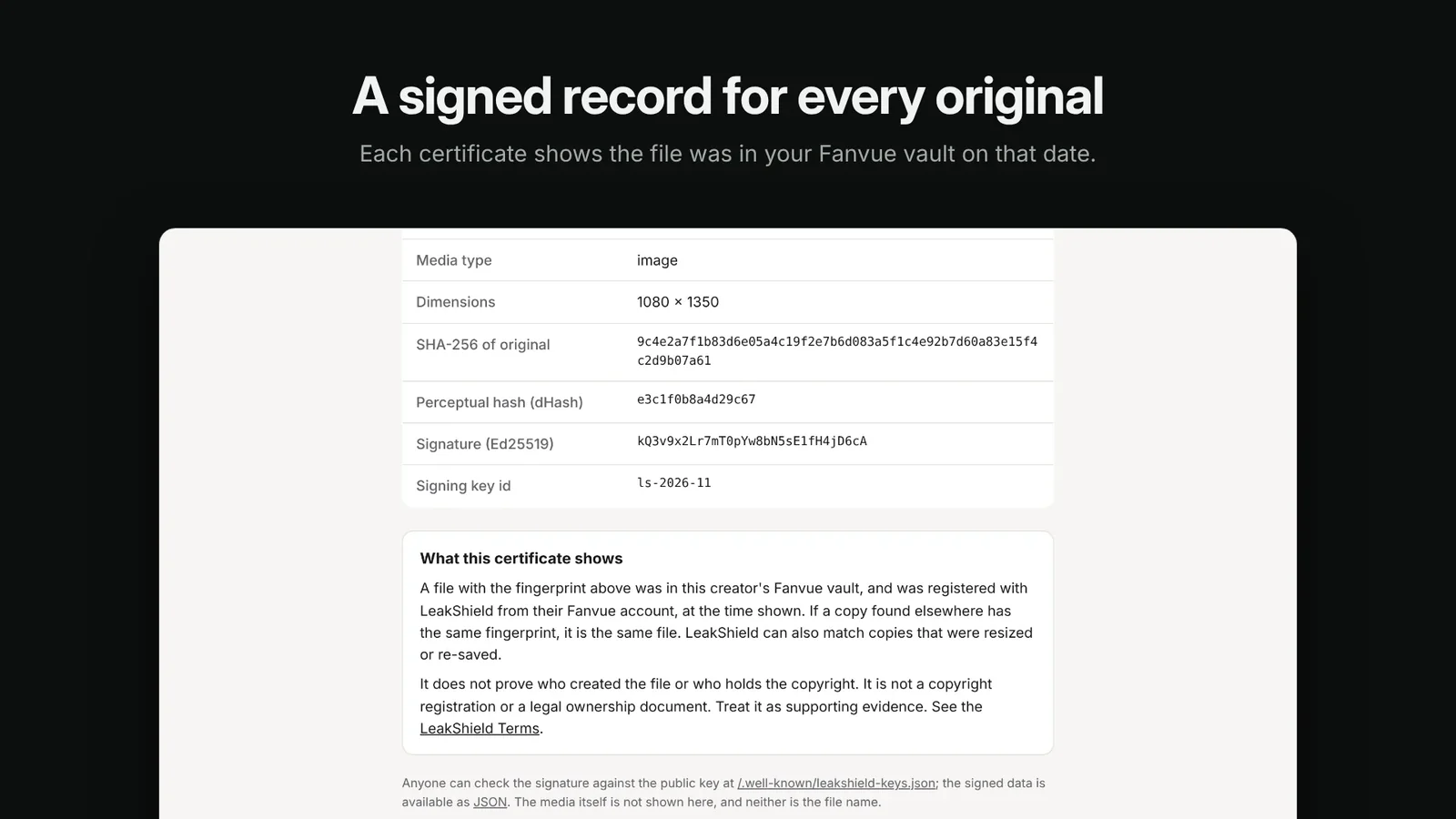
Be clear about what a certificate is. It shows that a file with that fingerprint was in your Fanvue vault and was registered from your account at that time. It isn't a copyright registration, and on its own it doesn't prove who created the file, so treat it as supporting evidence for your notice, not as the claim itself.
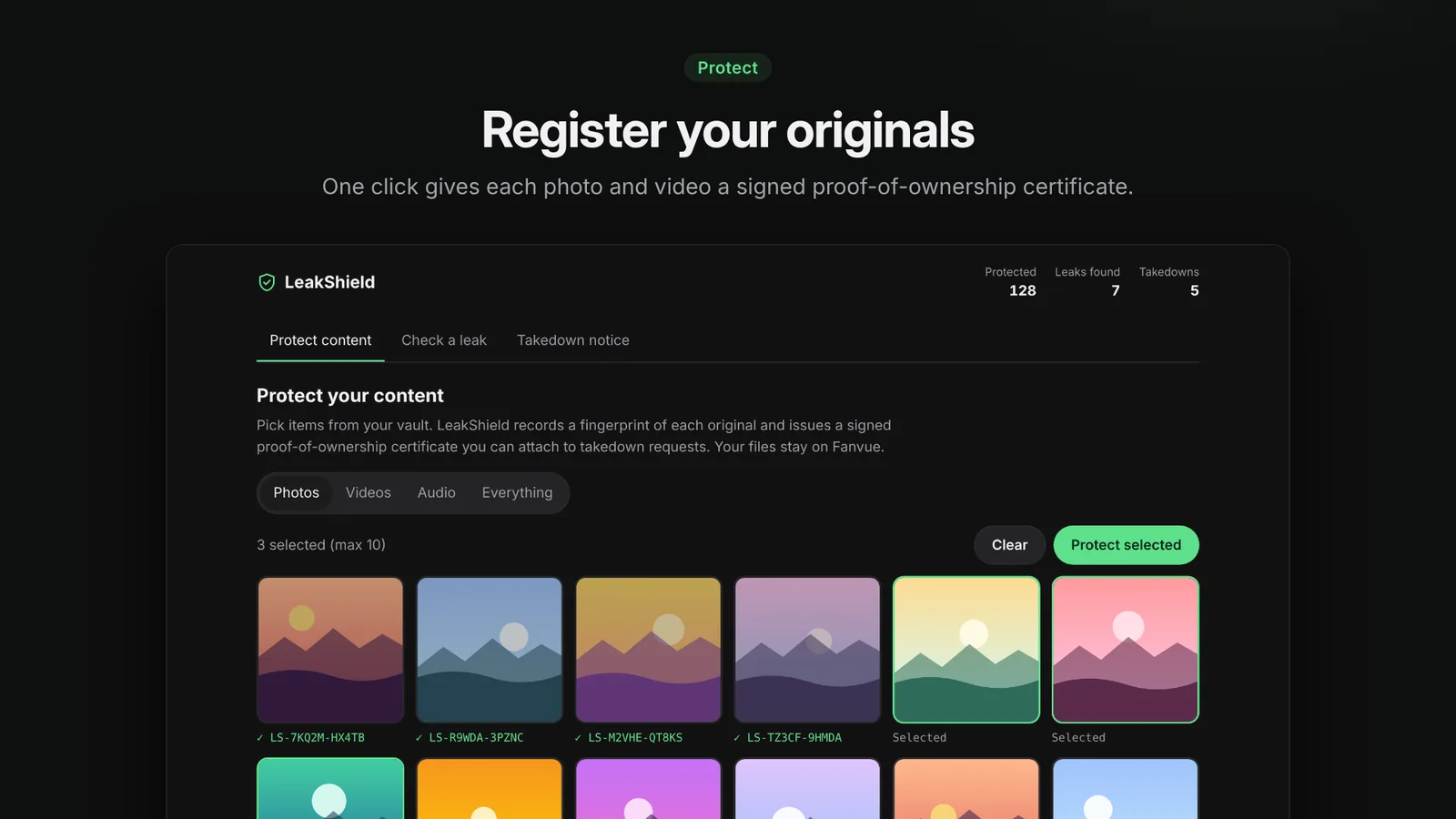
Your files stay on Fanvue. LeakShield stores fingerprints and certificates, not copies of your content.
It's worth registering new work as you publish it, starting with the sets that sell best. A certificate dated before the leak is stronger than one made after.
Check a suspected leak
When you find a copy, you need to know whether it's really yours, especially if it has been cropped, resized or compressed, as reposts usually are.
In LeakShield's Check a leak tab, you upload a screenshot or saved copy, or paste a direct link to the image, and add the page where you found it. LeakShield compares it with everything you've registered and tells you how close the match is. In the example below, the result is “Very likely your content”: it matches a registered original after resizing or re-compression, with a difference score of 3 out of 64. The lower the score, the closer the match.
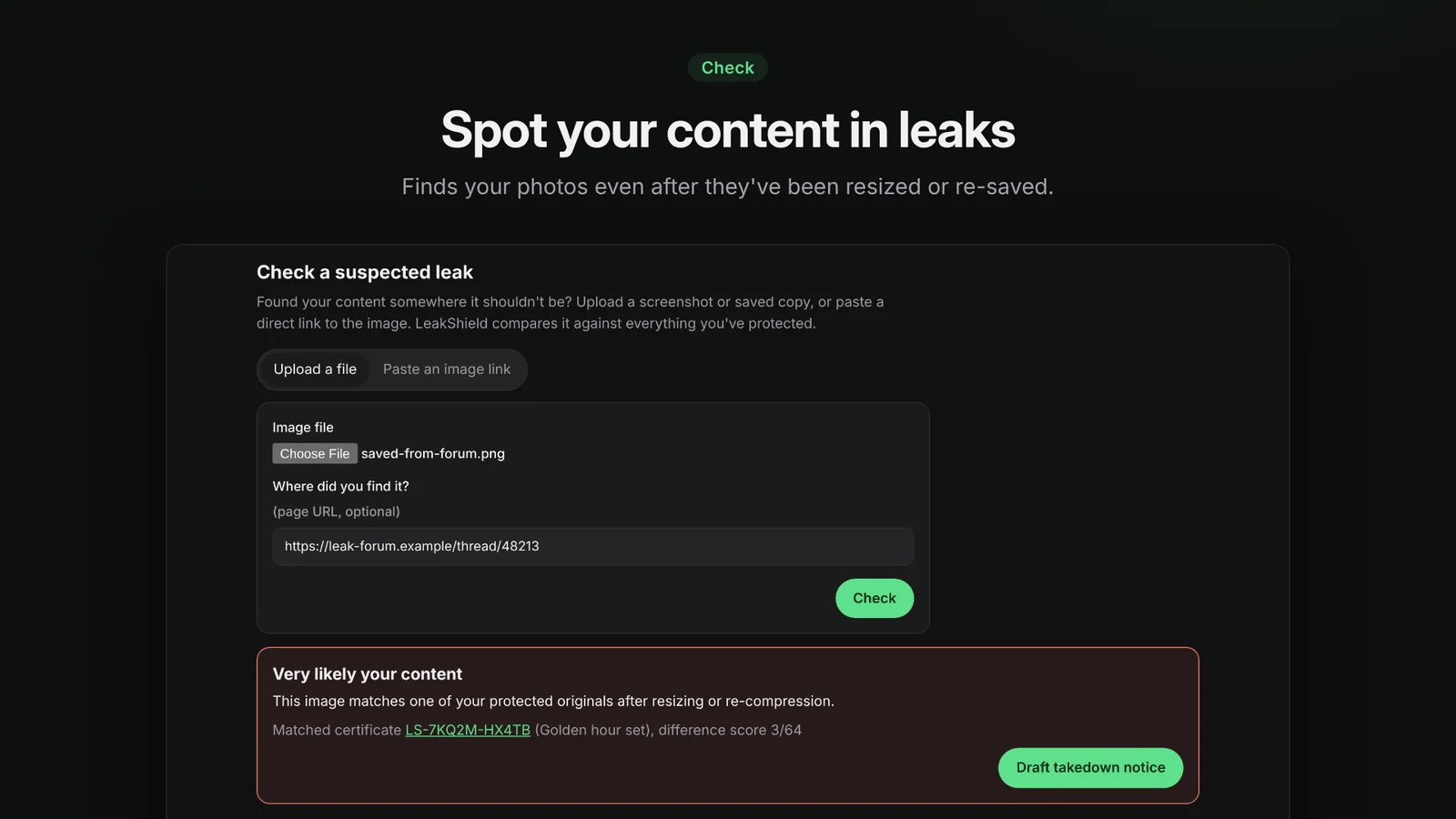
If nothing matches, LeakShield says so, and you've learned something useful before sending a notice you can't back up.
LeakShield doesn't search the web for you. You bring the copy you found, and the check is what turns a suspicion into a notice you can stand behind.
Send the takedown notice
When a check finds a match, LeakShield drafts a DMCA takedown notice. It names the original, says where it's published for subscribers, lists the address of the copy, and cites the certificate, with its ID, issue date, the file's fingerprint and the link where it can be verified.
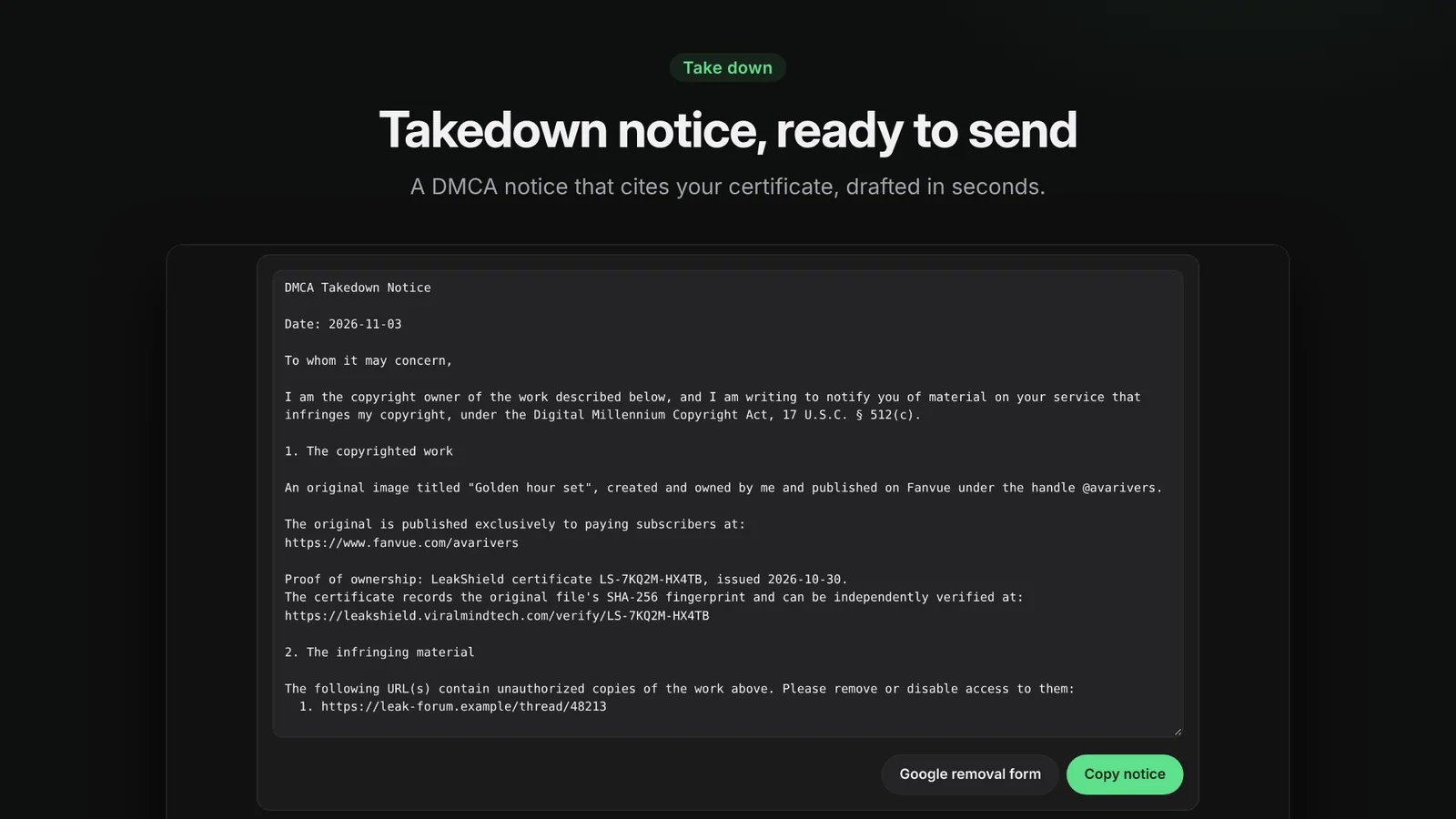
You copy the notice and send it to the site or its host, usually through a contact address for copyright complaints or a DMCA form. LeakShield also links to Google's form for removing copyright-infringing results from Search. That one matters even when a site ignores you: Google removes the link from its results, so people searching your name don't find the copy. Google says it processes these requests in about six hours on average.
Two things to know before sending. You send the notice yourself, under your own name, and the statements in it are yours, so read it before you send it. And Google shares qualifying requests with Lumen, a public database of takedown notices, so assume the notice you send to Google can be read by others.
LeakShield keeps count of what you've protected, the leaks it has matched and the takedowns you've drafted, so you can see at a glance what's covered.
What it costs
LeakShield is billed through Fanvue. The Free plan protects up to 5 items, which is enough to try the whole process on your best-selling set. Pro costs $9.99 a month.
Getting started
Start with the content that would hurt most to lose: your top-selling sets and anything you sell only to subscribers. Register those first, so the certificates are dated well before any leak.
When you find a copy, check it, then send the notice to the site and to Google on the same day. The faster a copy comes down, the fewer people save it.
This guide explains how takedown notices work. It isn't legal advice, and if a site disputes your claim or sends a counter-notice, a lawyer is the right person to ask.
Black Friday brings in new subscribers, and new subscribers are when leaks tend to start. Our BFCM '26 Report covers how to plan the campaign itself.
View LeakShield features, pricing and installation at Viral Mind Technologies